Updated: August 25, 2026
|
8 min read
Updated: August 25, 2026
|
8 min read
Pop Traffic Utility App Installs: Android Affiliate Playbook

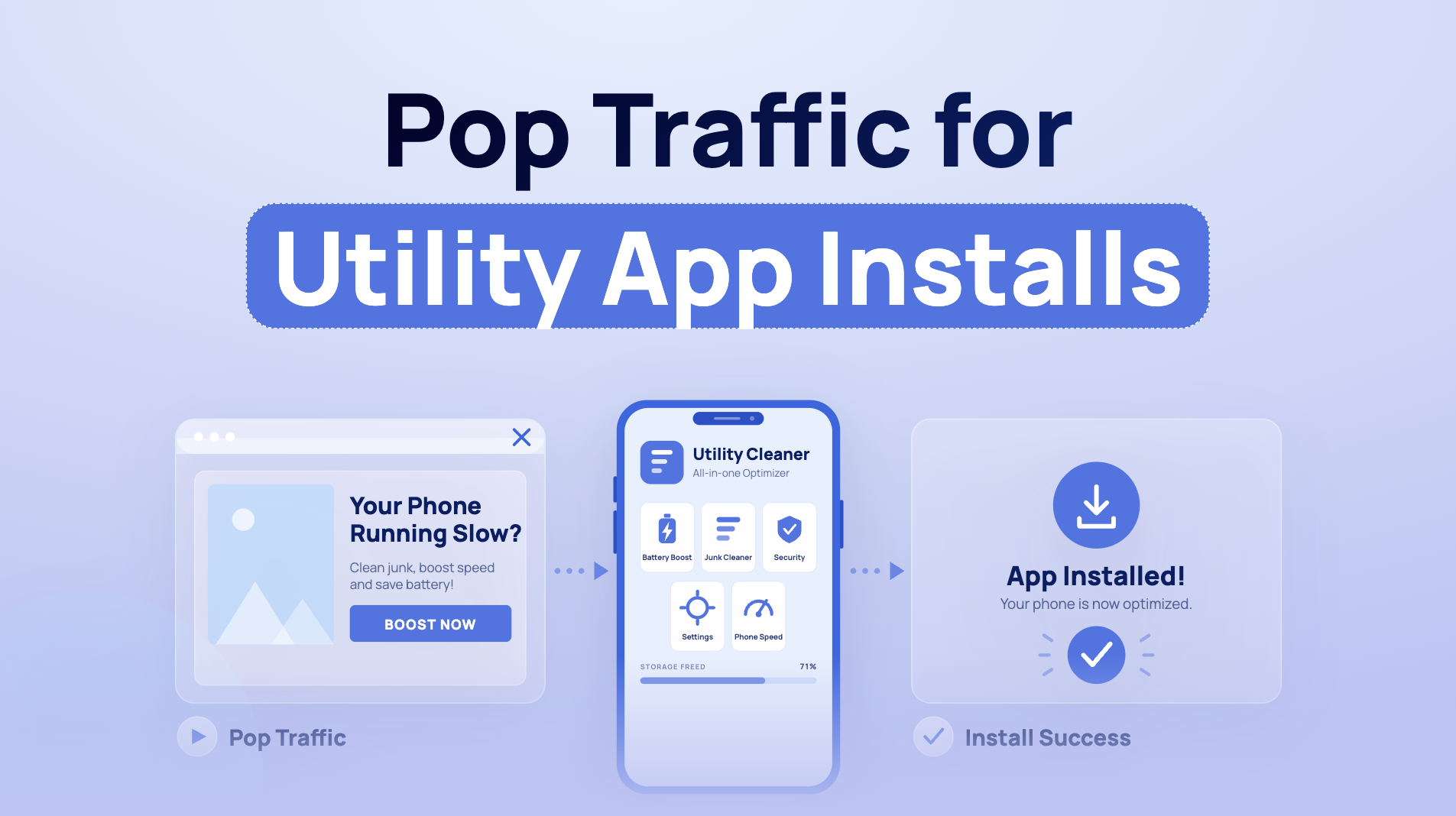
I’ve watched a campaign show a beautiful $0.45 CPI, then get its cap cut because almost nobody opened the app. The tension with utility offers is brutal: cheap installs are easy to buy; users who actually connect, scan, or clean are harder. Pop traffic utility app installs only work when you buy the second thing.
Does pop traffic work for utility app installs?
Pop traffic works for Android utility app installs when the offer has a live store destination in the target GEO, an honest value message before the handoff, and post-install activation tracking.
VPN, antivirus, and cleaner offers fit onclick traffic because Android utility needs are broad, a free install is a low-commitment decision, and Tier-2/Tier-3 pop inventory can support modest payouts. Raw install volume isn’t the verdict.

Utilities are their own vertical here. Everyone has a phone, nobody needs a narrow demographic to understand “connect safely on public Wi-Fi” or “free up storage.” That broad appeal suits pop’s untargeted reach.
The economics are less glamorous. Tier-2 and Tier-3 Android are the core ground because the payout has to cover cheap, high-volume impressions. iOS doesn’t belong in this test plan. The volume profile is overwhelmingly Android in these GEOs.
A buyer who treats an install as the finish line burns budget fast. The offer pays for a user who reaches the qualifying action, or stays good enough that the advertiser doesn’t shut the pipe later.
Check payout triggers, offer rules, and attribution before launch
The payout trigger decides how quickly you can make a zone call. Check what triggers the payout and how long confirmation takes before you plan a budget, set a bid, or trust a whitelist.
Three payout models change the campaign pace:
- Pure CPI (cost per install) pays on the install. It’s fast to read, yet it gets the most quality scrutiny.
- Install plus post-install event pays after an open, registration, or a set number of sessions. The conversion arrives later, so your first 48 hours can look worse or better than reality.
- Trial or subscription flows are common with VPN and antivirus offers. Higher payouts come with longer confirmation and tighter quality demands.
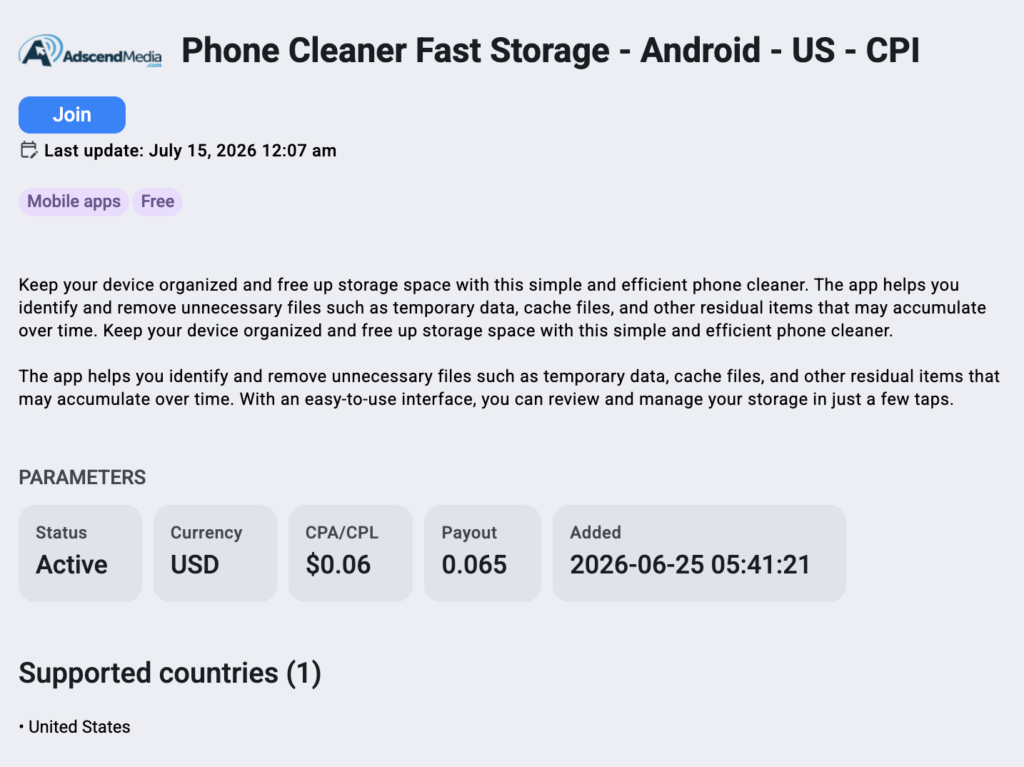
Also verify GEO availability, Android minimum version, whether the offer goes to an official Google Play listing or a direct APK, and every claim restriction in the offer terms. APK distribution isn’t a strategy choice you make from the traffic side. It’s a distribution rule you must understand before sending a click.
Then map the chain: click → app store listing → install → first open → attribution through the advertiser’s MMP (mobile measurement partner), such as AppsFlyer or Adjust → postback to your tracker (Voluum, Binom, RedTrack, or Keitaro).
Remember: your tracker confirms what the MMP attributes. See the affiliate tracking software cluster for setup mechanics and the CPA affiliate networks cluster for checking offer terms.
I’ve cut “dead” zones on day one, only to find delayed opens land overnight.
That mistake gets expensive when the event, not the install, is the payable action.
How do you optimize pop traffic for VPN, antivirus, or cleaner app installs?
Pop traffic optimization for VPN, antivirus, and cleaner app installs starts with attributed Android installs, then moves to one category-specific activation event: first VPN connection, completed security scan, or completed cleanup. Keep publisher zones broad for the first 48 hours. After that, review activation by zone, scale zones with three or more activated users at the category benchmark, and cut zones with zero activations after twice the target effective CPI spend.
Build the first test in this order:
- Pick one GEO and mobile-only traffic. Split Android OS versions so an offer’s minimum-version rule doesn’t pollute the data.
- Use the network-average GEO CPM rather than underbidding. Underbidding buys the inventory nobody else wants and teaches you nothing about the offer.
- Set a frequency cap of two per day. One exposure can be too little; three is waste.
- Check Wi-Fi versus mobile data. A larger app can meet resistance on data-sensitive Tier-3 connections, and some VPN offers are carrier-specific.
- Keep zone targeting broad for 48 hours, then review attributed installs, activation rate, and effective cost per activated user.
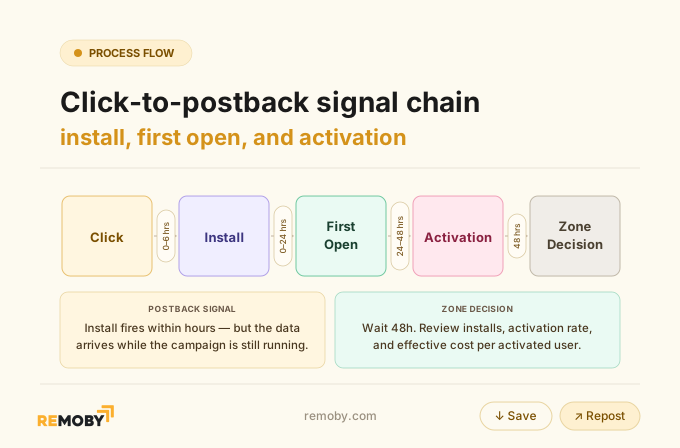
That order only works when you give delayed attribution time to land. Full bid and budget mechanics belong in the pop budget allocation article.
For Tier-2 pop, Remoby is one network worth testing, especially where direct publisher relationships give it depth in Tier-2 and Tier-3 GEOs.
Optimize for activated users, not CPI alone
Activation quality explains why a low CPI can still be bad traffic:
an install that never opens, connects, scans, or cleans does not create the event the offer values.
A realistic CPI target depends on GEO tier, utility category, payout trigger, bid, funnel, and the percentage of installs reaching the qualifying event. Effective cost per activated user is the number that joins those variables.
Here’s the test framework I’d use before calling any utility offer scalable.
| Category | Benefit-led prelander message | Prepare for | Primary activation | Main quality risk | Test verdict |
|---|---|---|---|---|---|
| VPN | Protect a connection on public Wi-Fi | Connection setup | First VPN connection | Install without connection | Test if first connection is tracked |
| Antivirus | Scan files and explain access clearly | Storage access | Completed security scan | Permission surprise and instant uninstall | Test with controlled permission copy |
| Cleaner | Recover space with a clear task | Storage access | Completed cleanup | Shallow intent, fast uninstall | Test only with cleanup event visibility |
| Verdict | Claims match the app | Expectations are set early | Optimize to activation | Never optimize to installs alone | Hold or cut on effective activated-user cost |
Looking at the market ranges you can see why the GEO label alone can’t set a target: a Tier 1 VPN CPI can be $1.50–4.00, antivirus $1.20–3.50, and cleaners $0.80–2.50. At the same time, Tier 2 runs $0.40–1.20 across the three categories, while Tier 3 runs $0.10–0.45.
Ready to launch with Remoby?
Here’s a good example. A Tier-2 Southeast Asia VPN test had a $0.60 CPI target. Broad traffic produced $0.45 CPI and only 11% first-connection activation. After cutting to zones above 40% activation, CPI rose to $0.85, but effective cost per activated user fell from about $4.10 to $2.10. Volume dropped around 60%.
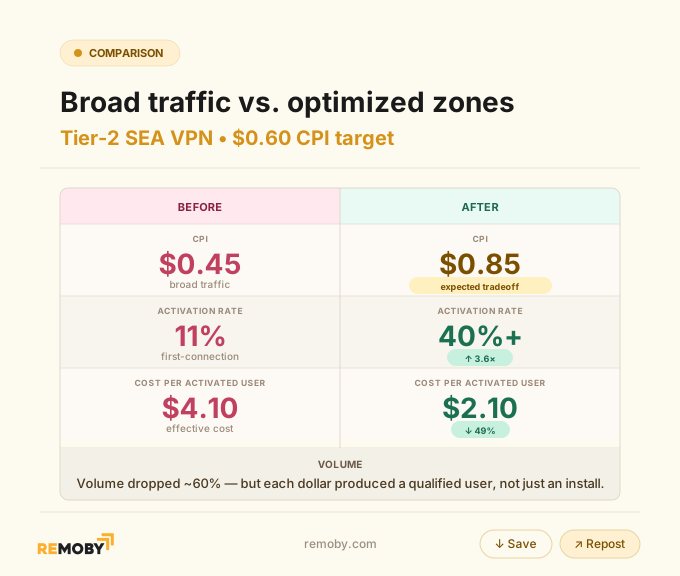
That’s the part buyers resist. Is the higher CPI actually worse? In this case, no. The installs were real. The intent wasn’t.
VPN activation above 40% signals understood traffic; below 20% points to accidental installs or a GEO-app mismatch. Antivirus needs 50%+ for a healthy read, while below 30% is a zone problem. Cleaners need extra caution because same-day uninstalls run highest in this group.
Use a compliant prelander and protect utility-app traffic quality
Fake warnings can lift raw installs for a day and wreck the whole account after that. Scareware means prelanders faking system warnings, infections, or progress scans to force an install. Don’t run it, full stop.
A prelander is an intermediate page between the pop and the store listing. Its job is to frame a real benefit and set the expectation the app will meet.
“Protect your connection on public Wi-Fi” works for a VPN. “This app needs storage access to scan files, and it will request that permission when you first open it” is honest antivirus framing.
Fake system UI, fake scans, false infection claims, and anything resembling incentivized installs get offers rejected, apps removed from stores, and traffic accounts banned. Google Play’s Developer Program Policies prohibit deceptive behavior and misleading claims. Check the current policy text before you write prelander copy, because the wording changes.
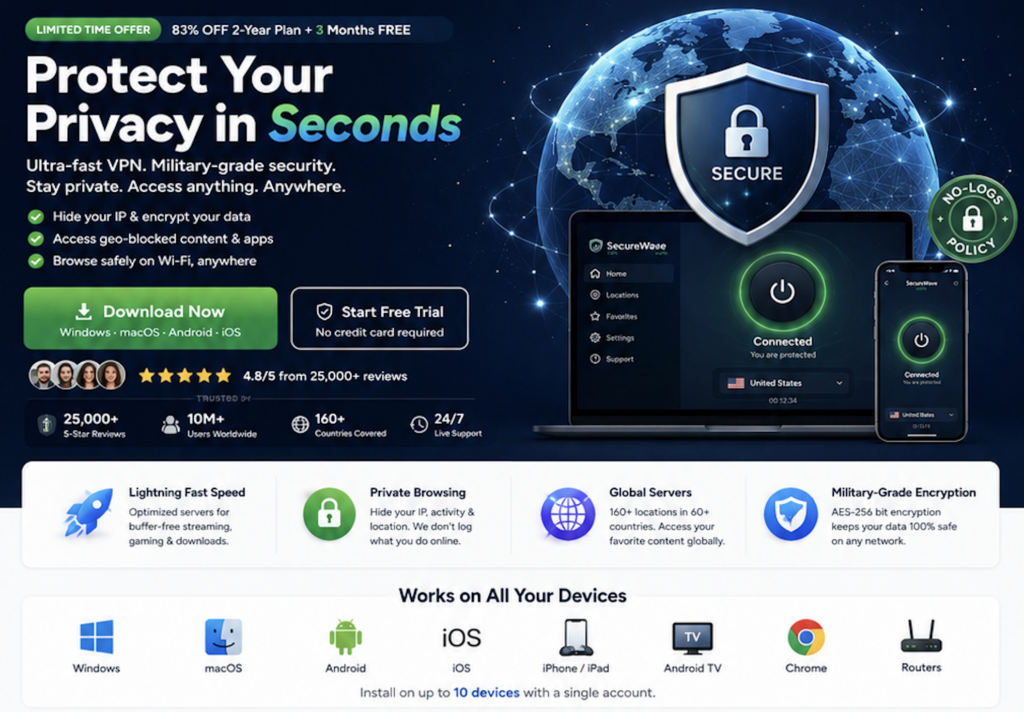
Clean copy often loses on raw install rate. It wins on retained, activated users. I learned that after a cleaner funnel with aggressive copy brought a flood of installs and an ugly uninstall curve.
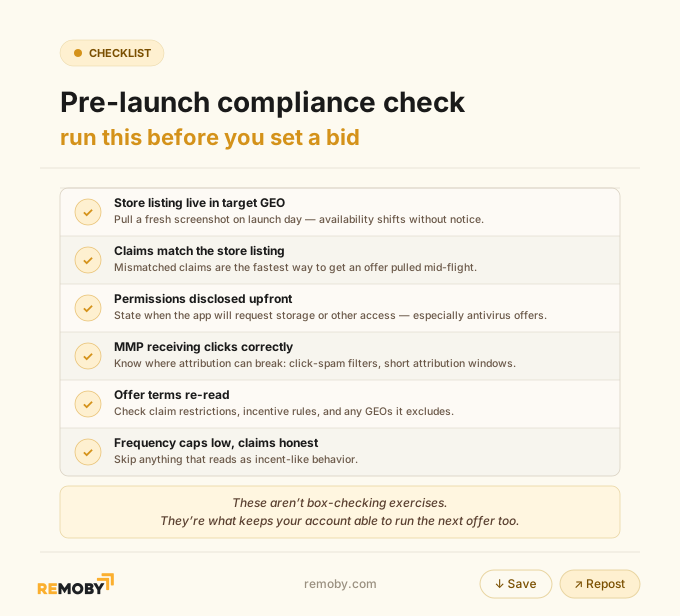
Protect quality with low frequency caps, claims that match the store listing, permission disclosure before the handoff, and no incent-like behavior. Advertisers watch retention, uninstalls, and event completion, then cut caps or payouts when junk takes over. The frequency capping article covers the mechanics.
What is the difference between pop traffic and redirect traffic for antivirus app offers?
Pop traffic opens an antivirus flow separately from the user’s active page, giving the affiliate room for a controlled permission explanation before the app-store handoff. Redirect traffic sends the user away immediately and can convert faster for a self-explanatory offer, yet it gives less intermediate-page and attribution control. Start antivirus with pop traffic when permission framing matters.
| Factor | Pop traffic | Redirect |
|---|---|---|
| Trigger | Opens a separate full-page flow | Moves the active user straight away |
| Permission framing | Controlled prelander before store | Less room to prepare the user |
| Store handoff | Deliberate, trackable sequence | Faster, more abrupt sequence |
| Attribution control | Stronger through the intermediate flow | Weaker when the path is compressed |
| Antivirus first test | Default choice | Use for very self-explanatory offers |
| Verdict | Best for explained permissions | Best only when speed beats control |
For VPN, pop versus push comes down to context. Push can catch a user already thinking about connection safety; pop brings cold volume and usually needs the prelander to qualify intent. Test the activation event, not the format’s click count.
Pre-launch compliance checklist for utility app offers
Run this check before you ever set a bid.
Ready to launch with Remoby?
FAQ: Android utility app pop traffic campaigns
First VPN connection is the event to optimize toward because it proves the user installed, opened, understood the app, and completed the core action. Treat the install as an early signal only. For how to optimize pop traffic for VPN installs using first-connection events, scale zones after three or more activations at 40%+ activation and investigate anything below 20%. These thresholds are representative practitioner examples.
Initial campaign settings should be one GEO, mobile-only traffic, Android OS splits, a network-average GEO CPM, a frequency cap of two per day, and broad zone targeting for 48 hours. Check the offer's Android minimum version and Wi-Fi versus mobile-data suitability before launch. Desktop traffic is wasted spend on a mobile-only offer. Obvious, yet people still leave it on.
Antivirus prelander permission framing should say what the app does, why it needs access, and when the request appears. Tell users that storage access is needed to scan files and will be requested on first open. Keep that claim consistent with the Google Play listing and offer terms. No fake warning screen. No fake scan result.
Cleaner-app zone blacklisting starts when a zone produces zero completed cleanups after spending twice the target effective CPI, regardless of install count. Also cut zones with very short prelander sessions, such as a median below three seconds, because they often signal accidental handoffs rather than intent. These thresholds are representative practitioner examples. That's how pop traffic becomes an Android utility acquisition channel instead of a very fast way to buy noise.