March 17, 2026
|
7 min read
March 17, 2026
|
7 min read
How Do Popunder Ads Work? Complete Technical and Practical Guide

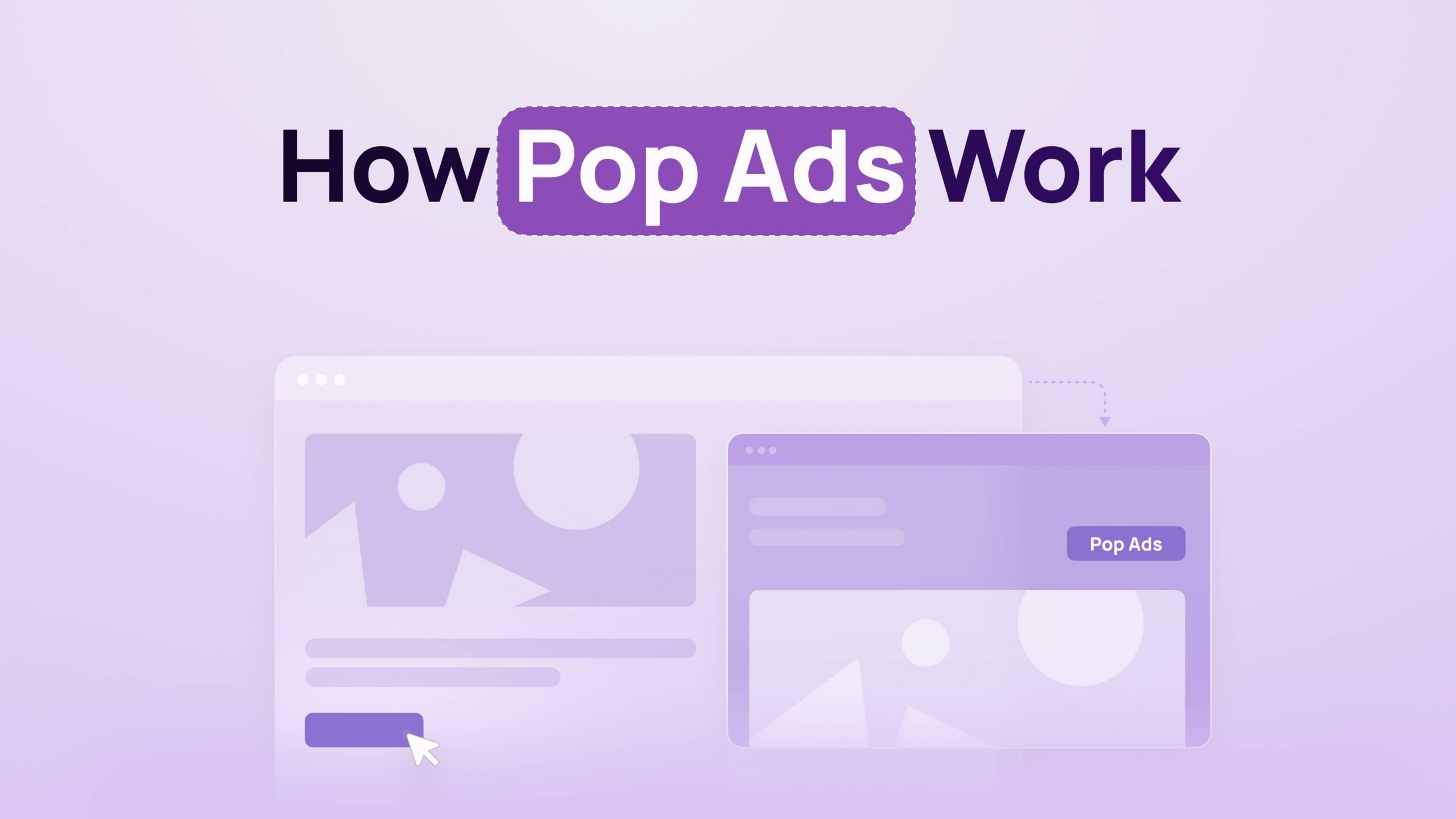
Most explanations of how do popunder ads work stop at “they open behind the tab.” That’s not useful when you’re actually trying to run or monetize pop traffic. What matters is the trigger mechanics, the browser constraints, and how the traffic flows from script to offer.
What Is a Popunder Ad and How Is It Different from a Popup Ad?
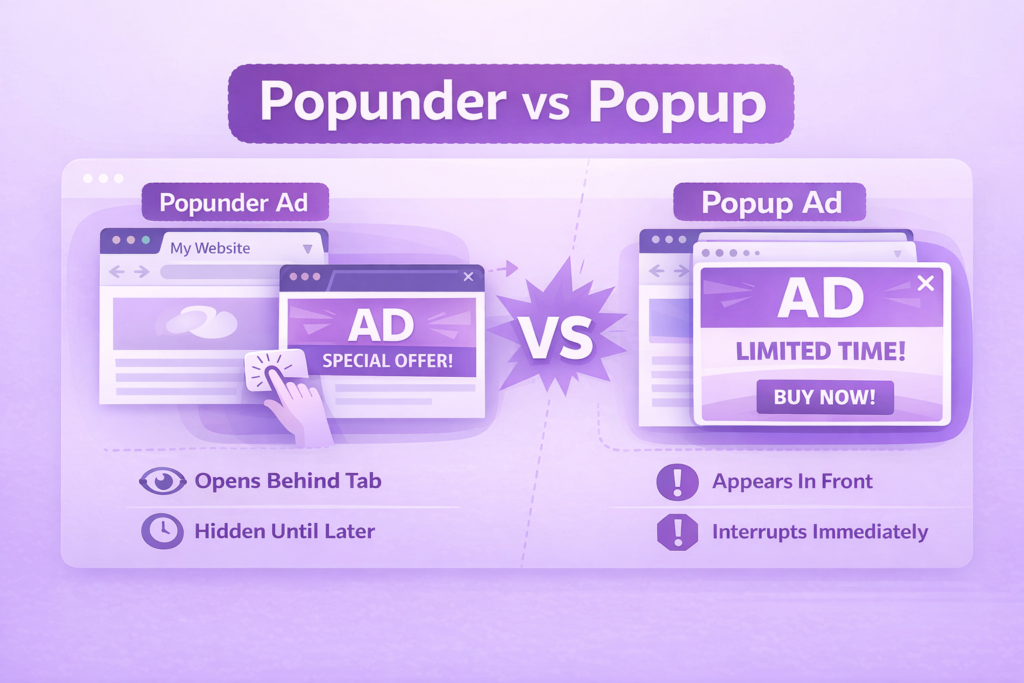
Popunder ads are display ads that open a new browser window or tab behind the user’s active page, making them visible only after the user switches tabs or finishes their session. Popup ads, by contrast, appear in front of the current page and interrupt the user immediately.
This difference is not just visual – it’s behavioral and technical. Popups demand attention instantly and often get blocked, while popunders delay visibility and rely on browser focus behavior to stay hidden until later.
In practice, that “behind the tab” behavior is the entire value. You get a full-page landing instead of fighting banner blindness, and you avoid the immediate friction that kills engagement on popups.
Popunder vs Popup Ads: Behavioral and Technical Differences
Popunder ads execute in the background and defer user attention, while popup ads take focus immediately and interrupt the browsing session.
From a technical standpoint:
Popups attempt to take browser focus immediately after window is opened
- Popunders rely on focus returning to the original tab
- Popups are more aggressively blocked
- Popunders depend on timing and browser handling to succeed
From a user behavior standpoint:
- Popups = high visibility, high friction
- Popunders = delayed visibility, lower resistance
This distinction directly impacts conversion strategy. Popunder funnels are built for curiosity and delayed engagement, not immediate clicks.
How Do Popunder Ads Work (Step-by-Step Technical Flow)
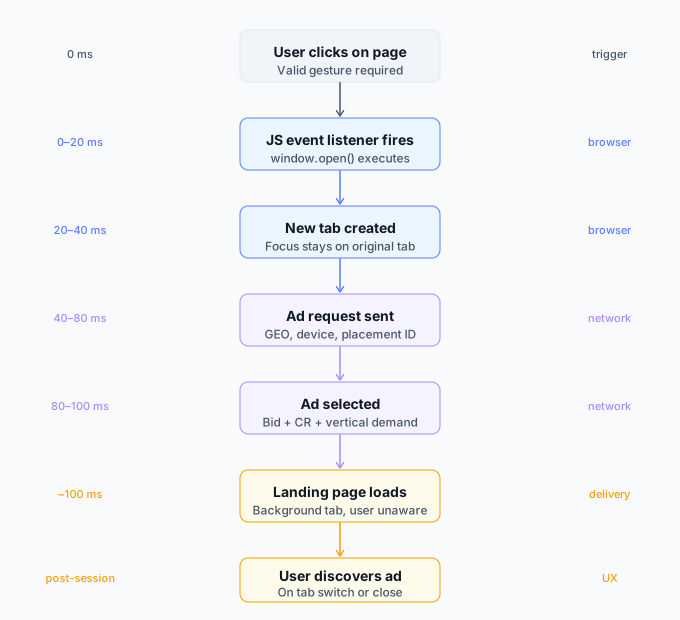
Popunder ads work by tying a user action to a JavaScript-triggered window.open call, then relying on browser focus behavior to push the new tab behind the active one.
Here is the actual execution flow:
- User interaction occurs (click, tap)
- JavaScript event listener fires (onclick or similar)
- Script executes window.open with ad URL
- Browser creates a new tab
- Focus remains or returns to original tab
- Ad loads in the background tab
The key constraint: browsers only allow this flow if it is tied to a real user gesture.
JavaScript event listeners and user interaction requirements
Popunder scripts depend on valid interaction signals. Event listeners capture the first eligible user action and trigger execution.
If the event is not considered a legitimate gesture, the browser blocks the pop entirely. That’s why click-based triggers dominate.
Advanced setups often use staged triggering:
- First interaction establishes trust
- Second interaction fires the popunder
This improves delivery rates on stricter browsers.
Typical trigger events: clicks, scrolls, and timed actions
Click-based triggers are the only consistently reliable method because they satisfy browser gesture requirements.
Scroll and timer triggers may exist as secondary layers but cannot independently trigger popunders in modern browsers.
Effective implementations combine:
- Full-page click zones
- Delayed execution after engagement
- Fallback triggers on subsequent clicks
What Happens After the Trigger (Ad Delivery Lifecycle)
After a popunder is triggered, the ad request flows through the network, where an ad is selected and delivered to the newly opened background tab.
Request sent to ad network and routing
The publisher script sends a request containing data such as GEO, device, browser, and placement ID.
The ad network processes this request using a hybrid system that combines bidding logic, segmentation, and historical performance data.
Ad selection via auction or optimization logic
Ad networks do not rely purely on real-time bidding. Selection depends on:
- Bid value (CPM or CPA goals)
- Historical conversion rates
- User quality and segmentation
- Vertical demand
This means higher-performing campaigns can win more traffic even with lower bids.
Landing page load in background tab
Once selected, the ad URL is passed into window.open. The page loads immediately in the background tab.
Tracking systems register the click at trigger time, not when the user actually views the page. This creates a disconnect between traffic volume and visible engagement.
Why Popunders Open Behind the Window (Browser Focus Logic)
Popunder ads open behind the main window because browsers control tab focus and often return attention to the original tab after a script opens a new one.
Modern browsers restrict scripts from forcing focus changes directly. Instead, timing and execution order influence which tab stays active.
Typical behavior:
- New tab opens
- Browser prioritizes original tab focus
- Result: background loading ad
Safari is particularly strict, often ignoring any attempt to manipulate focus.
Browser Restrictions and Popup Blocking (Chrome, Safari, Firefox)
Popunder ads are still effective, but only within strict browser policies that enforce user interaction and limit background control.
Chrome, Safari, and Firefox all:
- Require user gestures for window.open
- Block automatic or repeated pop attempts
- Restrict focus manipulation
Safari is the most restrictive, significantly reducing popunder reliability, especially on iOS.
Chrome (especially Android) remains the most consistent for delivery.
How Ad Blockers Affect Popunder Delivery
Ad blockers reduce popunder delivery by interrupting scripts, blocking domains, or preventing window execution.
Common failure points include:
- Script blocked before execution
- Ad domains flagged and suppressed
- Tracking data stripped, impacting optimization
A portion of traffic is always lost to blockers, and most systems account for this rather than trying to bypass it.
When Users Actually See Popunder Ads (UX Timeline)
Users typically see popunder ads after their main browsing session, not at the moment of trigger.
Common scenarios include:
- Closing the main tab
- Switching tabs later
- Returning to the browser session
This delay creates a different engagement pattern. Users are less interrupted but also less intentional, which shapes funnel design and expectations.
Performance Benchmarks (CPM, CTR, Conversions)
Popunder traffic typically falls within a $0.5–12 CPM range depending on GEO and vertical.
Breakdown:
- Tier 1: ~$3–12 CPM
- Tier 2: ~$1.5–5 CPM
- Tier 3: ~$0.5–2 CPM
Conversion rates vary by vertical:
- iGaming: 3–7%
- Utilities: 1–5%
- Downloads: 2–3%
CTR is not a meaningful metric because clicks are trigger-based. Conversion rate and ROI are the primary performance indicators.
Popunder ads perform best in industries where low-friction decisions and curiosity-driven engagement dominate. Common verticals include:
- iGaming
- Video on demand
- Utilities and downloads
- Finance lead generation
- Software installs
Simple funnels consistently outperform complex ones due to the passive nature of user intent.
FAQ: Popunder Ads Explained Clearly
What is a popunder ad and how is it different from a popup ad?
Popunder ads are ads that open in a new browser tab behind the active window, while popup ads appear in front and interrupt the user immediately. Popunders rely on browser focus behavior to stay hidden until later, whereas popups attempt to grab instant attention and are more likely to be blocked by modern browsers.
How do popunder ads get triggered on a website?
Popunder ads are triggered when a user performs a valid interaction, such as a click, which activates a JavaScript event listener. This listener executes a window.open function tied to the ad URL. Browsers require this user gesture, and without it, the popunder attempt is blocked entirely.
Are popunder ads still effective given modern browser restrictions?
Popunder ads are still effective within the limits imposed by modern browsers that require user interaction and restrict background behavior. Performance remains strong on compliant traffic, especially on Android and Tier 2–3 GEOs, though Safari and iOS environments significantly reduce available volume and consistency.
What happens technically after a user clicks and a popunder is triggered?
Popunder execution begins with a click event that triggers a script, sends a request to an ad network, selects an ad based on targeting and performance data, and opens a new tab with the landing page. The page loads immediately in the background while tracking systems log the click at the moment of trigger.
How do ad networks decide which popunder ad to show a user?
Ad networks select popunder ads using a mix of bidding systems and performance-based optimization. Factors include bid level, historical conversion rates, user attributes like GEO and device, and demand by vertical. Higher-performing campaigns often receive priority even if their bids are not the highest.
Why do popunder ads open behind the main browser window instead of in front?
Popunder ads appear behind the main window because browsers control tab focus and typically prioritize the original tab after opening a new one. Scripts cannot reliably force focus, so timing and browser behavior result in the ad loading in the background rather than interrupting the user.
Do popunder ads still work on Chrome and Safari without being blocked?
Popunder ads work on Chrome when tied to valid user interactions and when frequency limits are respected. Safari allows far fewer popunders due to stricter rules on focus control and tracking, making delivery inconsistent, especially on iOS devices.